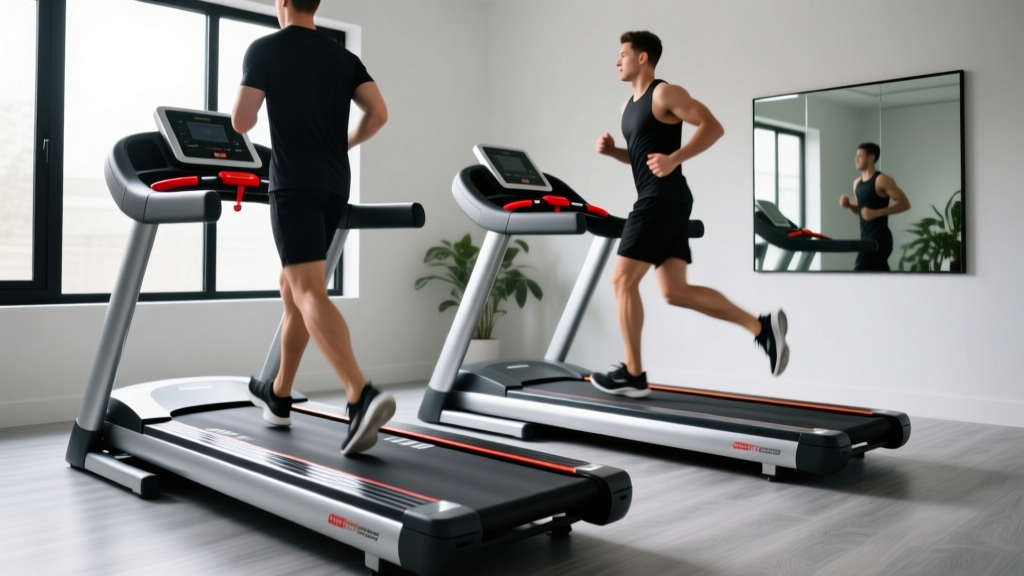
Curved vs Motorized Treadmills: Yrun Walking Pad Treadmill Mistakes
Fix common mistakes on curved vs motorized treadmills. Our troubleshooting guide covers belt slipping, motor errors, and Yrun walking pad treadmill fixes.

The Treadmill Spectrum: Curved, Motorized, and Walking Pads
The home cardio market has fractured into three distinct categories, each with unique biomechanical demands and mechanical failure points. On one end, you have heavy-duty curved manual treadmills designed for high-intensity interval training (HIIT) and natural gait mechanics. In the middle sit traditional motorized treadmills, the workhorses of steady-state cardio. On the opposite end of the spectrum are ultra-compact under-desk models, where the Yrun walking pad treadmill has carved out a massive niche for low-impact, space-saving movement.
Despite their shared purpose, the mistakes users make and the troubleshooting steps required to fix them are vastly different. A maintenance error on a $3,000 curved rig will ruin a vulcanized rubber slat belt, while a similar oversight on a $300 walking pad will fry a pulse-width modulation (PWM) motor controller. This comprehensive troubleshooting guide dissects the most common user errors and mechanical fixes across the curved vs motorized treadmill divide, with a dedicated deep-dive into compact walking pads.
Comparative Matrix: Hardware & Failure Profiles
Before turning a wrench, it is critical to understand the mechanical baseline of your machine. The table below contrasts the hardware specifications and primary failure modes across the three main treadmill archetypes.
| Feature | Curved Manual (e.g., AssaultRunner Elite) | Standard Motorized (e.g., Sole F80) | Compact Walking Pad (e.g., Yrun) |
|---|---|---|---|
| Drive System | User-powered, magnetic/friction resistance | 3.0 - 4.0 CHP DC Motor | 1.5 - 2.25 Peak HP DC Motor |
| Belt Type | Vulcanized rubber slats on guide wheels | Continuous woven PVC/cotton deck belt | Frameless or low-profile continuous PVC |
| Max Speed | Unlimited (User-dependent) | 12.0 MPH | 3.8 MPH (Flat) / 7.6 MPH (Raised) |
| Avg. Cost (2026) | $2,999 - $3,499 | $999 - $1,599 | $220 - $350 |
| Primary Failure Point | Slat tension loss, guide wheel bearing seizure | Motor overload (E1/E2 errors), deck friction | Hinge safety switch faults, remote desync |
Curved Manual Treadmills: Biomechanical Mistakes & Slat Belt Fixes
Curved treadmills like the TrueForm Trainer or AssaultRunner Elite are self-powered, meaning the user dictates the pace by shifting their center of mass. According to biomechanics research highlighted by the American Council on Exercise (ACE), curved treadmills promote a mid-foot strike and reduce impact forces on the knees. However, the mechanical upkeep of a slat belt is unforgiving.
Mistake: Improper Foot Strike Placement
The most common user error on a curved treadmill is running too far forward on the apex of the curve, or too far back on the decline. Running on the flat apex creates excessive friction against the guide wheels, leading to a sluggish belt feel and premature wear on the rubber slats. Conversely, running too far back forces the user to over-stride, which can cause the belt to jerk violently. The Fix: Maintain your stride on the steepest part of the front decline. Your foot should strike the belt just as it begins to level out, allowing gravity and momentum to pull the slats smoothly over the internal roller bearings.
Troubleshooting: Slat Belt Sticking and Squeaking
If your curved treadmill belt feels like it is sticking or emitting a high-pitched squeak, users often reach for WD-40 or PTFE-based lubricants. Do not do this. Petroleum-based solvents will degrade the vulcanized rubber and destroy the polyurethane guide wheels.
- Step 1: Unplug the magnetic resistance console (if equipped) and flip the belt to expose the underside guide wheels.
- Step 2: Apply a 100% pure silicone spray specifically formulated for fitness equipment directly to the wheel tracks and the inner roller bearings.
- Step 3: If the belt slips under heavy acceleration, the tension is too low. Locate the rear axle adjustment bolts on both sides of the frame. Using a 6mm hex key, turn both bolts clockwise by exactly one-quarter turn to increase tension. Test the belt; repeat only if necessary, ensuring both sides are perfectly even to prevent tracking issues.
Standard Motorized Treadmills: Electrical Faults & Drive Errors
Traditional motorized treadmills rely on a continuous loop belt driven by a front roller connected to a DC motor. The Sole Fitness support archives indicate that over 70% of all motorized treadmill service calls are related to belt friction and speed sensor faults, both of which are entirely preventable.
Mistake: Ignoring Deck Lubrication (The Motor Killers)
Walking or running on a dry treadmill deck creates massive kinetic friction. This friction forces the motor to draw excess amperage to maintain speed, eventually tripping the thermal overload switch or burning out the motor windings. If your treadmill abruptly stops mid-run and displays an error code, a dry deck is the usual culprit.
The Fix: Lift the edge of the belt and feel the deck. If it feels dry or chalky, it needs lubrication. Apply 15ml of 100% silicone treadmill lubricant in a zig-zag pattern across the deck. Run the treadmill at 3.0 MPH for five minutes without stepping on it to distribute the silicone evenly. This simple step can extend a 3.5 CHP motor's lifespan by up to four years.
Troubleshooting: The Dreaded E1 Speed Sensor Error
An E1 error code typically signifies that the console is not receiving a speed signal from the motor. This is rarely a dead motor; it is almost always a misaligned reed switch (speed sensor).
- Remove the plastic motor hood at the front of the deck using a Phillips screwdriver.
- Locate the flywheel on the left side of the motor and the small black sensor pointing toward it.
- Check the gap between the sensor and the magnet embedded in the flywheel. The optimal gap is exactly 2mm to 3mm.
- If the gap is too wide, loosen the sensor mounting screw, slide it closer to the magnet, and retighten. Clear the error code by powering the machine off and on.
Yrun Walking Pad Treadmill: Compact Frame Troubleshooting
The rise of remote work has made under-desk walking pads ubiquitous. The Yrun walking pad treadmill is a popular choice due to its foldable 2-in-1 design and budget-friendly price point (typically around $280). However, its compact engineering introduces a unique set of troubleshooting scenarios that differ vastly from full-sized gym equipment.
Critical Warning: The Yrun walking pad treadmill utilizes a peak 2.25 HP motor designed for continuous walking, not sprinting. Exceeding the recommended user weight limit (usually 220 lbs) or attempting high-speed jogging will cause the PWM motor controller to overheat and permanently fail.
Mistake: The 3.8 MPH Safety Cap Confusion
The most frequent 'broken' complaint regarding the Yrun walking pad treadmill is that it refuses to exceed 3.8 MPH, even when the remote indicates a higher speed. This is not a motor failure; it is a hardcoded safety protocol. When the front handrail is folded down flat for under-desk use, a micro-switch in the hinge restricts the motor controller to 3.8 MPH to prevent users from accidentally sprinting without a safety grab bar.
The Fix: Fully raise the front handrail until you hear a distinct mechanical click. This disengages the safety micro-switch and unlocks the full 7.6 MPH speed range. If the handrail is raised but the speed remains capped, inspect the hinge joint for debris or a bent switch actuator pin, which can be gently bent back into place with needle-nose pliers.
Troubleshooting: Belt Drift on a Frameless Deck
Because walking pads lack the heavy side rails of motorized treadmills, the belt is highly susceptible to lateral drift. If the Yrun belt is rubbing against the plastic side caps and fraying, immediate adjustment is required.
- Locate the two adjustment holes at the very rear of the walking pad deck.
- Insert the provided Allen wrench into the bolt corresponding to the side the belt is drifting toward.
- Turn that bolt clockwise by one-eighth of a turn. (e.g., If the belt is drifting left, tighten the left bolt).
- Run the pad at 2.0 MPH and observe. Never adjust walking pad belts while the machine is off, as the tension will not reflect real-world tracking.
Troubleshooting: Remote Pairing Failures
Yrun models rely on infrared (IR) or Bluetooth remotes. If the remote fails to connect, first check the CR2032 coin cell battery. If the battery is fresh, perform a hard reset: unplug the walking pad from the wall for 60 seconds to drain the capacitor. Plug it back in, stand within two feet of the console, and press and hold the remote's power button for 5 seconds until the LED display flashes, indicating a successful handshake.
The Ultimate Preventative Maintenance Protocol
Whether you are maintaining an Assault Fitness curved rig, a heavy-duty motorized deck, or a Yrun walking pad treadmill, adhering to a strict maintenance schedule prevents 90% of catastrophic hardware failures.
Weekly Checklist
- All Models: Wipe down the belt and console with a damp microfiber cloth. Sweat is highly corrosive and will rust exposed bolts and degrade plastic housings.
- Walking Pads: Inspect the power cord for fraying, especially near the base where it bends during folding.
Monthly Checklist
- Motorized Treadmills: Check belt tension. You should be able to lift the belt 2-3 inches off the deck in the center. Adjust the rear roller bolts if it feels loose.
- Curved Treadmills: Inspect the slat belt for loose screws. The vibration of HIIT sprints can gradually back out the hex screws securing the rubber slats to the internal chain.
Bi-Annual Checklist
- Motorized & Walking Pads: Apply fresh 100% silicone deck lubricant. If you use your treadmill for more than 10 hours a week, reduce this interval to every three months.
- All Models: Vacuum beneath and behind the machine. Dust accumulation in the motor compartment acts as an insulator, trapping heat and drastically reducing the lifespan of the electronic control board.
By understanding the distinct mechanical architectures of curved manual rigs, standard motorized treadmills, and compact models like the Yrun walking pad treadmill, you can transition from reactive repairs to proactive maintenance. Treat your equipment with the specificity it demands, and it will deliver years of reliable cardiovascular conditioning.
More gear to consider
All reviews
How to Burn 500 Calories on the Treadmill: Beginner Buying Guide
Beating the Shin Splints Treadmill Trap: 2026 Bike Market Trends

Curved vs Motorized Treadmills: The Rock Wall Treadmill Effect

Elliptical vs Treadmill Maintenance: Navigating Treadmill Recall News

Buying Mistakes: Treadmill Exercises to Lose Weight for Beginners
