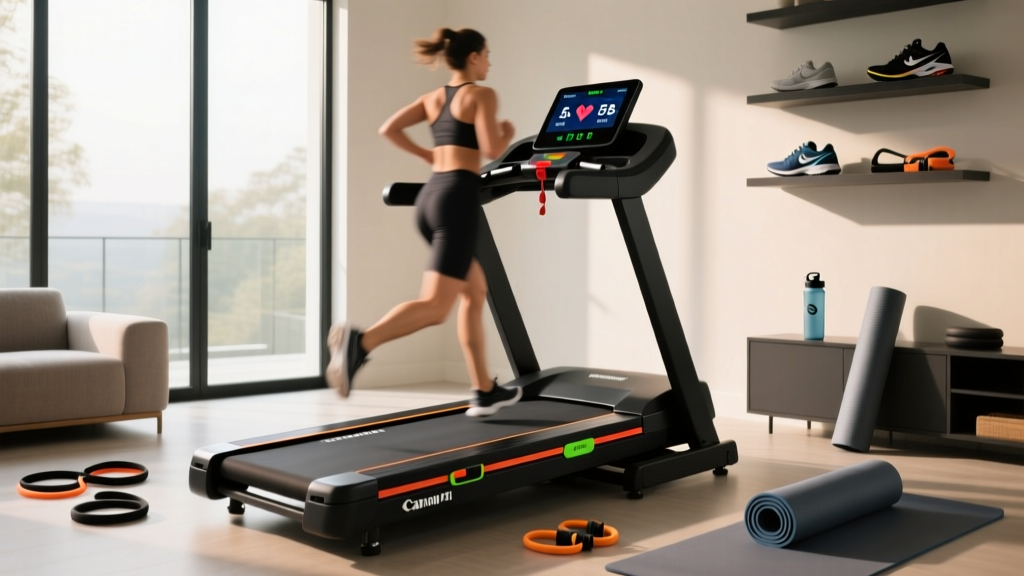
Chroma Key Treadmill Belt Maintenance: Studio Care Guide
Learn essential chroma key treadmill belt maintenance, lubrication intervals, and anti-static protocols to protect studio gear and ensure flawless streams.

In the rapidly evolving landscape of virtual fitness coaching and immersive content creation, the chroma key treadmill setup has become a staple for professional studios and high-end home creators. By positioning a commercial-grade treadmill—such as the Life Fitness Club Series or Matrix T7xe—in front of a green screen, instructors can overlay digital environments using software like OBS or vMix. However, this specific use case introduces unique mechanical and environmental challenges that standard home users never face.
Extended streaming sessions (often 4 to 8 hours daily) generate immense friction, excessive dust, and severe static electricity. If the treadmill belt is not meticulously maintained, the resulting static discharge can ruin your chroma key effect, cause digital noise in your video feed, and ultimately fry the machine's Motor Control Board (MCB). This guide provides an expert-level, studio-focused protocol for treadmill belt maintenance and lubrication.
⚠️ Studio Alert: The Static Electricity Problem
A dry treadmill belt rubbing against the deck generates significant static electricity. In a standard home, this causes minor shocks. In a chroma key studio, static causes the green screen fabric to cling to the user's clothing and creates high-frequency electromagnetic interference (EMI) that manifests as 'snow' or tracking errors in your camera's keying software. Proper lubrication is not just about mechanical longevity; it is an essential step for optical clarity.
The Lubrication Matrix: Choosing the Right Silicone
Never use petroleum-based lubricants, WD-40, or household oils on a treadmill belt. These substances degrade the PVC and polyurethane compounds of the belt, causing it to stretch, warp, and eventually snap. Furthermore, aerosol sprays should be strictly avoided in a studio environment; the overspray will coat your green screen and lighting gels, ruining the chroma key luminosity.
You must use a 100% liquid silicone lubricant applied directly under the belt. Below is a comparison of common lubrication approaches and their viability for studio environments.
| Lubricant Type | Studio Viability | Cost & Notes |
|---|---|---|
| 100% Liquid Silicone (Squeeze Bottle) | Excellent | $12 - $18. Zero overspray. Impresa or Horizon brands recommended. |
| Silicone Aerosol Spray | Poor | $10 - $15. Airborne particles will ruin green screen keying. |
| Wax-Based Lubricants | Fair | $20 - $25. Can build up on the deck over time, requiring deep cleaning. |
| Petroleum / Multi-purpose Oils | Do Not Use | $5 - $10. Will melt the belt backing and void the warranty. |
Application Frequency for High-Volume Streaming
Standard manufacturer guidelines suggest lubricating every 150 miles or 3 months. However, according to Sole Fitness Maintenance Guidelines, high-use commercial environments require a compressed schedule. For a chroma key treadmill running 4+ hours daily, lubricate the belt every 45 days or 100 miles, whichever comes first.
Step-by-Step: Precision Belt Tension and Tracking
Before applying lubricant, you must verify the belt tension. A belt that is too loose will slip during high-speed interval sprints on camera, creating a jarring viewing experience and a safety hazard. A belt that is too tight will put immense strain on the drive motor and front roller bearings.
- The Lift Test: Turn off and unplug the treadmill. Reach under the center of the belt and lift it away from the deck. The optimal clearance is exactly 2 to 3 inches. If it lifts higher, the belt is too loose; if it resists, it is too tight.
- Locate the Rear Roller Bolts: Find the two adjustment bolts at the very back of the treadmill deck, accessible via the end caps.
- Adjust in Micro-Increments: Using a 3/16-inch Allen wrench, turn both the left and right bolts clockwise by exactly one-quarter (1/4) turn.
- Re-test and Center: Plug the machine in, start it at 3.0 MPH, and observe. If the belt drifts to the left, tighten the left bolt by 1/8th of a turn and loosen the right by 1/8th of a turn until it tracks perfectly center.
'In a virtual production studio, a slipping belt isn't just a mechanical failure; it's a broadcast failure. If the belt slips while the instructor is sprinting, the latency in the video feed combined with the physical stutter completely breaks the viewer's immersion. We check tension weekly on all our chroma key rigs.'
Diagnosing Motor Control Board (MCB) Strain
The most expensive failure mode associated with poor belt maintenance is the destruction of the Motor Control Board (MCB). Replacement MCBs for commercial units like the Woodway 4Front or Matrix T7xe typically cost between $250 and $450, not including labor. You can prevent this by monitoring the amp draw.
Using a digital clamp multimeter (such as the Fluke 323), clamp the meter around the main positive wire leading from the MCB to the drive motor. Consult Life Fitness Technical Support documentation for your specific model's baseline, but general commercial thresholds apply:
- No-Load Amp Draw (Belt empty): 4 to 6 Amps. (Indicates a healthy, well-lubricated belt).
- Under-Load Amp Draw (User walking/jogging): 8 to 12 Amps. (Normal operating range).
- Danger Zone: If the no-load draw exceeds 10 Amps, or the under-load draw consistently spikes above 15 Amps, the friction is too high. The MCB is overheating and will eventually short out. Immediate lubrication or belt/deck replacement is required.
Chroma Key Cleaning Protocol: Optical Clarity
Maintaining the belt on a chroma key treadmill goes beyond lubrication; it requires strict dust management. Treadmills act as giant static vacuums, pulling dust, skin cells, and clothing lint into the motor hood and onto the belt surface. When this dust kicks up during a run, it catches the studio lighting and creates 'noise' that confuses chroma key software, resulting in a jagged, pixelated outline around the instructor.
The 3-Step Studio Cleaning Routine
- Dry Microfiber Wipe Down: After every streaming session, wipe the top texture of the belt with a dry, lint-free microfiber cloth. Never use paper towels, as they leave micro-lint that will show up on 4K cameras.
- Deck Flushing: Once a month, use a can of compressed air (held upright to avoid liquid propellant discharge) to blow out the gap between the belt and the deck, forcing accumulated dust out the rear of the machine.
- Anti-Static Treatment: Lightly mist a clean cloth with a specialized electronics anti-static spray (like Guardd Dog Static Guard) and wipe the side rails and motor hood. Never spray directly onto the treadmill to avoid contaminating the belt grip or the green screen backdrop.
When to Replace the Belt and Deck
No amount of maintenance will make a belt last forever. Commercial treadmill belts generally last between 15,000 and 20,000 miles. For a studio treadmill running 5 hours a day at an average speed of 6 MPH, that equates to roughly 500 to 660 days of continuous use. Signs that your chroma key treadmill requires a full belt and deck replacement (a kit costing roughly $150 to $280) include:
- Visible fraying or separation of the seam running down the center of the belt.
- A glossy, hardened glaze on the underside of the belt, indicating the PVC has melted and reformed due to chronic heat buildup.
- Visible grooves or burn marks worn into the wooden or composite deck beneath the belt.
By treating your chroma key treadmill not just as a piece of fitness equipment, but as a critical component of your broadcast infrastructure, you ensure both the mechanical longevity of the machine and the visual perfection of your virtual content. For deeper technical specifications regarding commercial deck replacements, always refer to Woodway USA Support or your specific manufacturer's enterprise portal.
More gear to consider
All reviews
Sole F80 Treadmill Reviews: Curved vs Motorized Troubleshooting
Papan Treadmill Motor Guide: Sizing Horsepower for Home Gyms

NordicTrack X24 Incline Treadmill vs Bowflex 22: 2026 Showdown

Therun Incline Treadmill Reviews: Motor Size & HP Guide

Anti-Gravity Treadmill Buying Guide: Step-by-Step Comparison