Walking Pad Comparison: Setup, Installation & Treadmill Wattage
Compare top 2026 walking pads and master your setup. Learn to calculate treadmill wattage, plan circuits, and install your under-desk treadmill safely.

The Hidden Challenge of Walking Pad Installation
The shift toward permanent hybrid work models in 2026 has transformed the under-desk walking pad from a niche luxury into a home office staple. However, while most buyers focus on step counts and app connectivity, the most critical aspect of owning a walking pad is often overlooked until the breaker trips: electrical load management. Understanding treadmill wattage is not just about energy bills; it is a fundamental safety and installation requirement.
Unlike full-sized commercial treadmills that require dedicated 20-amp circuits, walking pads are designed for standard 15-amp residential circuits. Yet, when paired with space heaters, laser printers, or multiple monitors, the peak power draw during motor startup can easily overload a shared circuit. In this comprehensive guide, we compare the top walking pads on the market through the lens of their electrical requirements and provide a complete, step-by-step installation walkthrough to ensure your home office remains safe, functional, and optimized for daily use.
Walking Pad Comparison Matrix: Models, Pricing, and Power Draw
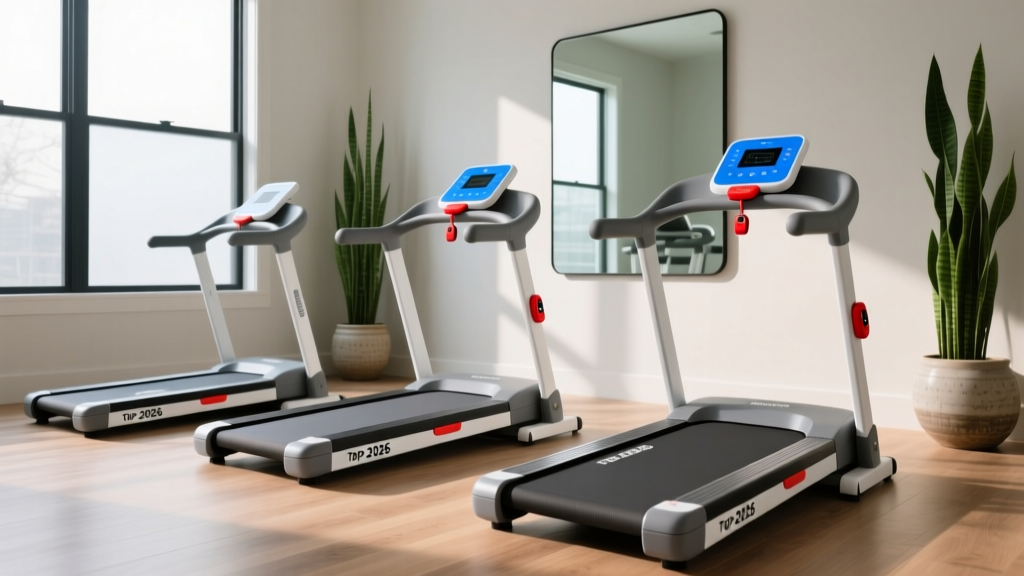
Not all brushless DC (BLDC) motors are created equal. The continuous horsepower (CHP) directly dictates the baseline treadmill wattage, while the user's weight and walking speed determine the dynamic load. Below is a comparison of three leading 2026 models, analyzing their electrical footprints alongside their physical specifications.
| Model | Motor Size | Peak Treadmill Wattage | Continuous Draw | 2026 Retail Price | Max User Weight |
|---|---|---|---|---|---|
| UREVO Strol 2E | 2.0 HP | 1450W | 450W - 600W | $279 | 265 lbs |
| WalkingPad R2 | 1.25 HP | 950W | 300W - 400W | $549 | 240 lbs |
| Horizon Walkstation T202 | 2.5 HP | 1750W | 650W - 850W | $899 | 300 lbs |
Model Breakdown and Electrical Impact
The WalkingPad R2 is the most electrically efficient option. Its 1.25 HP motor keeps the continuous draw well below 400W, making it ideal for older homes with fragile electrical infrastructure or users who plan to run the pad simultaneously with high-draw appliances. However, its lower max weight capacity means heavier users will push the motor harder, artificially inflating the real-world treadmill wattage closer to its 950W peak.
The Horizon Walkstation T202 offers a commercial-grade 2.5 HP motor, but its 1750W peak startup draw is dangerously close to the 1800W absolute maximum of a standard 15-amp circuit. If you choose this model, it must be the sole high-draw device on its circuit. The UREVO Strol 2E strikes the best balance for most users, offering a robust 2.0 HP motor with a manageable 1450W peak draw at a highly competitive price point.
Understanding Treadmill Wattage and Circuit Requirements
To install a walking pad safely, you must understand the difference between continuous wattage and peak (inrush) wattage. According to the U.S. Department of Energy, motors require a significant surge of electricity to overcome initial inertia and start moving. For walking pads, this inrush current lasts for roughly 1.5 to 3 seconds but can spike the treadmill wattage by 40% to 60% above the continuous rating.
⚠️ Circuit Overload Warning: A standard US 15-amp residential circuit operating at 120 volts provides a maximum of 1800 watts. For safety, the National Electrical Code (NEC) recommends keeping continuous loads below 80% of the circuit's capacity (1440 watts). If your walking pad draws 600W continuously, you only have 840 watts of headroom for other devices on that same breaker.Calculating Your Home Office Load
Before unboxing your walking pad, audit your home office circuit. Identify which outlets are controlled by the same breaker. A typical home office setup might include:
- Desktop PC & Dual Monitors: ~350W
- Laser Printer (Active): ~600W
- Space Heater (Low Setting): ~750W
- Walking Pad (Continuous): ~500W
If you turn on your space heater and print a document while walking, your total draw hits 2200W—well over the 1800W limit. The breaker will trip immediately. To prevent this, map your outlets using a circuit tester and ensure your walking pad is plugged into a circuit separate from your heating and printing devices.
Step-by-Step Installation Walkthrough
Proper installation extends the life of your motor and prevents electrical hazards. Follow this exact sequence when setting up your new walking pad.
Step 1: Unboxing and Physical Placement
Walking pads are deceptively heavy, often weighing between 60 and 110 pounds. Do not attempt to lift the unit by the belt or the console arm. Use a furniture dolly to move it from the shipping box to your workspace. When positioning the pad, maintain a minimum of 20 inches of clearance behind the rear roller and 12 inches on both sides to ensure adequate airflow for the motor's cooling fan. Blocked ventilation is the leading cause of premature BLDC motor failure.
Step 2: Electrical Connection and Surge Protection
The U.S. Consumer Product Safety Commission (CPSC) explicitly warns against using standard household extension cords for high-draw motorized appliances. The thin wires in standard cords create resistance, which generates heat and causes voltage drops that can starve and damage your treadmill's motor controller.
💡 Pro Setup Tip: If you cannot reach a wall outlet directly, you must use a heavy-duty, 14-gauge (or thicker) power cord rated for at least 15 amps. Pair this with a high-joule surge protector specifically rated for motorized equipment to protect the walking pad's logic board from voltage spikes.Step 3: Belt Tensioning and Alignment
Factory calibration is rarely perfect after shipping. A misaligned belt creates friction, which directly increases the treadmill wattage required to maintain speed. To calibrate:
- Power on the walking pad and set the speed to a slow walk (1.5 MPH).
- Observe the belt's tracking. If it drifts to the left, locate the left rear adjustment bolt.
- Using the provided Allen wrench, turn the left bolt one-quarter turn clockwise.
- Simultaneously, turn the right bolt one-quarter turn counter-clockwise to maintain overall tension.
- Allow the belt to complete 10 full rotations before making further adjustments. Never adjust more than a quarter-turn at a time.
Real-World Troubleshooting: Power Trips and Motor Overheating
Even with careful planning, you may encounter operational issues. Here is how to diagnose and resolve the most common walking pad failures related to power and setup.
The Breaker Trips Only During Startup
Diagnosis: Inrush current overload. As the National Fire Protection Association (NFPA) notes, circuit breakers are designed to handle momentary surges, but aging breakers may become overly sensitive. If your treadmill wattage spikes to 1600W on startup and the breaker trips, the issue is likely the breaker itself or a competing background load (like a refrigerator compressor kicking on in an adjacent room).
Solution: Unplug all non-essential devices from the circuit. If the issue persists, consult an electrician to replace the aging 15-amp breaker or install a dedicated 20-amp line for your home office.
The Motor Shuts Off After 60 Minutes
Diagnosis: Thermal overload protection. Most walking pads are designed for a 60-to-90-minute continuous duty cycle. If the motor housing exceeds 140°F (60°C), the internal thermal switch will cut power to prevent a fire.
Solution: Ensure the walking pad is placed on a hard, flat surface. Thick carpets insulate the bottom of the deck, trapping heat and blocking the motor's intake vents. If you must use the pad on carpet, place a rigid, high-density EVA foam equipment mat underneath to elevate the unit slightly and improve sub-deck airflow.
The Remote Loses Synchronization
Diagnosis: Electromagnetic interference (EMI). High treadmill wattage running through unshielded power cables can sometimes cause minor EMI, disrupting the Bluetooth or RF signal between the remote and the console.
Solution: Reroute the power cable so it does not run parallel to your desk's data cables. Re-pair the remote by holding the 'Mode' and 'Start' buttons simultaneously for 5 seconds while standing within 3 feet of the console LED display.
Final Verdict: Matching the Pad to Your Power Grid
Choosing the right walking pad in 2026 requires looking beyond the marketing materials and examining the specification plate on the motor housing. If you live in a modern home with updated 20-amp office circuits, the Horizon Walkstation T202 offers unmatched durability and weight capacity. However, for the vast majority of users operating in standard 15-amp bedrooms or shared living spaces, the UREVO Strol 2E provides the safest balance of robust performance and manageable treadmill wattage. By meticulously planning your circuit load, utilizing proper 14-gauge power delivery, and maintaining precise belt alignment, your under-desk treadmill will deliver years of reliable, step-logging service without ever tripping a breaker.
More gear to consider
All reviews
Walking Pad vs ProForm Crosstrainer Treadmill: 2026 Beginner Guide

How To Repair Space: A Practical Guide to Restoring Structural Integrity in Automotive Collision Repairs

Curved Manual vs Motorized Treadmills: ProForm 505 CST Compared

What's Better for Losing Weight: Elliptical or Treadmill? 2026 Guide
AFG Sport 2.5 HP Treadmill: Setup Walkthrough & Feature Comparison