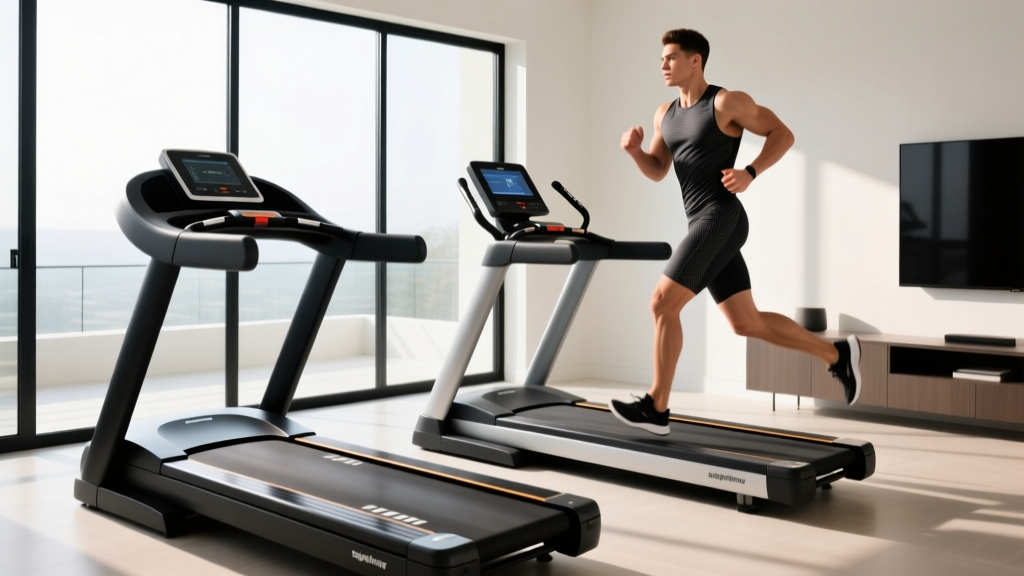
Treadmill Vision: Troubleshooting Sightlines on Curved vs. Motorized Models
Fix treadmill vision and form issues. Our troubleshooting guide compares sightlines, console glare, and posture on curved manual vs motorized treadmills.

Defining Treadmill Vision: More Than Just a Screen
When home gym enthusiasts discuss cardio equipment, they rarely mention 'treadmill vision'—yet it is one of the most critical factors in long-term joint health, running mechanics, and user comfort. Treadmill vision encompasses your focal distance, console sightlines, peripheral awareness, and how your visual field interacts with the deck beneath you. In 2026, as home fitness setups become more integrated with high-definition displays and advanced biomechanical tracking, optimizing your visual ergonomics is just as important as calibrating your incline.
The visual demands of a curved manual treadmill (like the Woodway Curve or Rogue Echo) are vastly different from those of a traditional motorized flat-belt model (like the NordicTrack Commercial 2450 or Sole F80). Mismanaging your focal point on either machine leads to a cascade of biomechanical failures: cervical spine strain, altered stride length, and dangerous spatial drift. This troubleshooting guide dives deep into the common mistakes users make with treadmill vision across both platforms and provides expert-level, actionable fixes.
The Biomechanics of Focal Points and Cervical Load
Before troubleshooting specific machines, we must understand the physiology of sightlines. According to Mayo Clinic's guidelines on posture and spinal health, the human head weighs roughly 10 to 12 pounds in a neutral position. However, when you tilt your head forward and down to look at a low-placed console or stare directly at your feet on a moving belt, the force on your cervical spine increases exponentially. At a 30-degree downward tilt, that load spikes to 40 pounds; at 45 degrees, it reaches 50 pounds.
Poor treadmill vision forces this downward tilt. On motorized treadmills, users often suffer from 'tech neck' by staring at low-mounted tablets. On curved treadmills, users suffer from 'belt stare'—looking down at the front roller to ensure they are staying in the correct running zone. Both destroy your natural running posture, reducing lung capacity and altering your foot strike.
⚠️ Troubleshooting Alert: The 20/20/20 Rule for RunnersTo prevent visual fatigue and focal locking, optometrists and sports physical therapists recommend a modified 20/20/20 rule for indoor cardio: Every 20 minutes, shift your focal point to an object at least 20 feet away (like a wall clock or out a window) for 20 seconds. This relaxes the ciliary muscles in the eyes and naturally resets your cervical spine to a neutral, upright position.
Motorized Treadmills: Troubleshooting the 'Screen Stare'
Modern motorized treadmills are essentially giant tablets on a stick. Models like the Peloton Tread+ ($4,295) or the Echelon Stride-S feature massive, immersive HD touchscreens. While excellent for interactive classes, they introduce severe visual ergonomic challenges.
Mistake #1: Console Glare and Pupil Dilation Strain
The Problem: Running in a dimly lit basement with a 32-inch screen blasting 400 nits of brightness directly into your eyes causes severe pupillary strain. Furthermore, overhead recessed lighting often creates a harsh glare on the glass console, forcing you to tilt your head at awkward angles to see your metrics.
The Fix: Do not rely on the treadmill's backlight as your primary room illumination. Install a 4000K to 5000K (neutral white) LED bias lighting strip directly behind the console uprights. Bias lighting equalizes the ambient light behind the screen, reducing the contrast ratio and significantly lowering eye strain. For glare, adjust the console gooseneck downward by exactly 5 to 10 degrees so the reflection bounces toward the floor, not your eyes.
Mistake #2: The 'Pac-Man' Drift
The Problem: When users lock their eyes onto the center of a motorized screen, they lose peripheral awareness of the deck's edges. This leads to lateral drift, where the user slowly shuffles to the left or right until they clip the side rail—a leading cause of indoor treadmill friction burns and falls.
The Fix: Apply a strip of 1-inch high-visibility neon gaffer tape (e.g., Pro Tapes Pro Gaff, approx. $18) down the exact center line of your motorized belt. This provides a subconscious peripheral anchor. You do not need to look directly at the tape; your peripheral treadmill vision will register the neon line, keeping your hips squared and your body centered without requiring direct foveal focus.
Curved Manual Treadmills: Conquering the 'Sweet Spot' Drift
Curved, non-motorized treadmills (such as the TrueForm Trainer at $4,500 or the Woodway Curve at $7,500) rely on the runner's kinetic energy to turn a slatted polyurethane belt. Because there is no motor dictating the pace, your physical position on the curve dictates your speed. This creates a unique visual troubleshooting scenario.
Mistake #3: Foveal Fixation on the Front Roller
The Problem: The 'sweet spot' on a curved treadmill is the steepest part of the downward curve, usually about 12 to 18 inches from the front housing. Beginners constantly look down at the front roller to ensure they haven't drifted too far back (which slows the belt) or too far forward (which causes the belt to runaway). This downward gaze collapses the chest, restricts diaphragmatic breathing, and ruins the natural arm swing.
The Fix: You must transition from direct vision to peripheral treadmill vision. Place a brightly colored, 2-inch piece of tape on the side rails of the treadmill exactly parallel to the sweet spot of the belt. When you run, look straight ahead at a fixed point on the wall (ideally 8 to 12 feet away at eye level). Use your peripheral vision to monitor the tape on the side rails. If your hands pass the tape, you are in the correct zone. This simple hack immediately corrects cervical flexion and opens up the airway.
Mistake #4: Lack of Console Sightlines
The Problem: Many premium curved treadmills prioritize a minimalist, low-profile design and either omit a console entirely or place a tiny LCD screen far below eye level. This forces the user to break form to check heart rate or distance.
The Fix: Invest in an aftermarket, eye-level tablet mount designed specifically for slatted treadmills (such as the TreadmillDesk tablet mount, approx. $45-$60). Mount it to the front uprights so the screen sits exactly at your natural horizon line when standing tall. This aligns with the CDC's physical activity recommendations for maintaining sustainable, injury-free exercise habits over the long term.
Comparison Matrix: Visual Ergonomics & Troubleshooting
Understanding the inherent differences between the two deck types is crucial for setting up your home gym environment. Use the matrix below to diagnose your specific setup.
| Feature | Motorized Flat-Belt (e.g., Sole F80) | Curved Manual (e.g., Rogue Echo) |
|---|---|---|
| Primary Focal Distance | 3 to 5 feet (Console screen) | 8 to 15 feet (Wall/Horizon) |
| Common Neck Flexion | 20° to 45° downward (High strain) | 0° to 15° downward (Low strain, if corrected) |
| Glare Risk Factor | High (Large glass touchscreens) | Low (Matte rubber slats / Minimal LCD) |
| Primary Drift Type | Lateral (Side-to-side shuffling) | Longitudinal (Forward/backward speed shifts) |
| Best Peripheral Hack | Center-line belt tape | Side-rail sweet spot markers |
Step-by-Step Environmental Troubleshooting Checklist
According to biomechanics experts and resources from the American Council on Exercise (ACE), your environment dictates your form. If you are experiencing neck pain, dizziness, or form breakdown, run through this 4-step visual audit:
- Audit Your Horizon Line: Stand on the treadmill in your normal running posture. Close your eyes, settle into your natural stance, and open them. Where are you looking? If you are staring at the floor or the bottom third of a screen, your console is mounted too low, or your habit of 'belt-checking' has become ingrained. Raise the screen or place a physical target (like a poster or a clock) at exactly 60 to 65 inches from the floor.
- Check Ambient Contrast: Turn off the main overhead lights. If the treadmill screen is the brightest object in the room, you are inducing visual fatigue. Add soft, indirect ambient lighting to the room to balance the lux levels.
- Test Peripheral Anchors: Apply your neon gaffer tape (center belt for motorized, side rails for curved). Run for 5 minutes at a moderate pace. If you still feel the urge to look down, the tape color is not contrasting enough with your belt or room lighting. Switch to a high-vis pink or yellow.
- Evaluate Window Placement: If your treadmill faces a south-facing window, the afternoon sun will wash out motorized screens and create harsh shadows on curved slats. Install sheer, light-diffusing roller blinds to maintain natural light without destroying your treadmill vision contrast.
Final Thoughts on Visual Ergonomics
Upgrading to a premium cardio machine in 2026 is an investment in your cardiovascular health, but ignoring treadmill vision can inadvertently lead to chronic cervical and thoracic spine issues. Whether you are pushing through a high-intensity interval session on a $7,500 Woodway Curve or taking a scenic virtual hike on a NordicTrack, your eyes dictate your posture, and your posture dictates your performance. By implementing peripheral anchors, optimizing ambient lighting, and respecting the biomechanical realities of your specific deck type, you can transform your indoor running experience from a visually fatiguing chore into an ergonomically sound, high-performance routine.
More gear to consider
All reviews
2026 Trimline Treadmill Trends: Compact Portable Cardio Market

Is a Walking Pad the Best Treadmill Alternative? 2026 Comparison

Assault vs Air Bike: 1 Hour on Treadmill Burns How Many Calories?
Yesoul T3S Plus Treadmill vs NordicTrack T10: 2026 Comparison

Under Desk Treadmill Value: How Much Incline on Treadmill for Glutes
