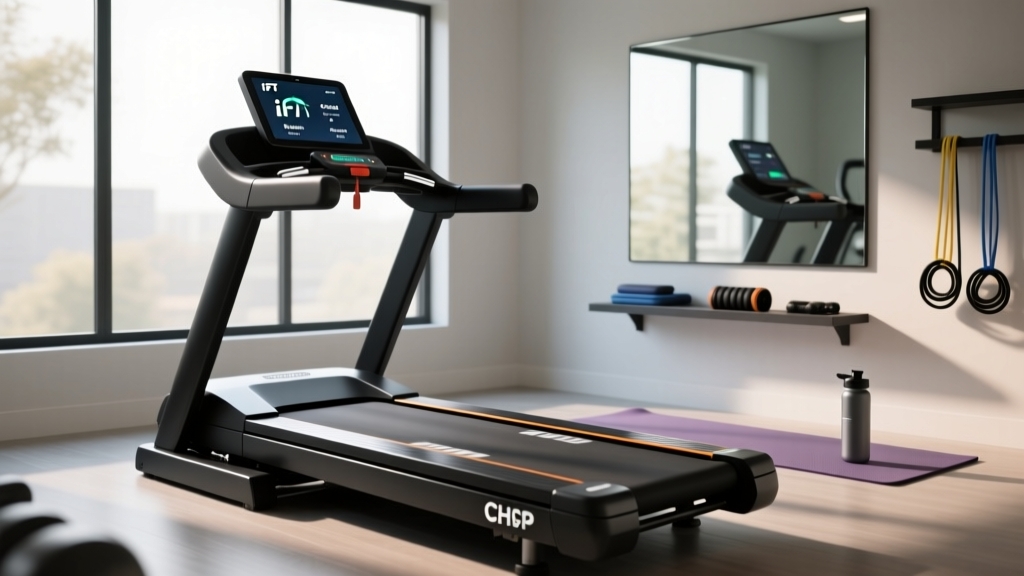
Treadmill Motor Sizing & iFIT App for Treadmill Setup Guide
Master your treadmill installation. Learn to verify motor horsepower (CHP) during setup and configure the iFIT app for treadmill calibration and tracking.

The Core of Your Machine: Verifying Treadmill Motor Size and Horsepower
Unboxing a new treadmill in 2026 is an exciting milestone for your home gym, but before you start tightening bolts and plugging in power cords, you must verify the heart of the machine: the motor. The assigned subtopic of this guide focuses heavily on treadmill motor size and horsepower, which directly dictates the machine's longevity, noise level, and ability to handle your specific biomechanical load. Many consumers fall victim to misleading marketing, confusing "Peak Horsepower" with "Continuous Duty Horsepower" (CHP). Peak HP measures the absolute maximum output the motor can hit for a fraction of a second before failing, whereas CHP measures the power the motor can sustain indefinitely during a grueling 10-mile run.
When inspecting your newly delivered treadmill—whether it is a NordicTrack Commercial 2450 or a ProForm Pro 9000—locate the manufacturer's decal near the motor hood or power receptacle. You are looking for the CHP rating. Modern high-end home treadmills utilize advanced DC (Direct Current) motors paired with PWM (Pulse Width Modulation) controllers. This setup delivers smooth, consistent torque without the loud, humming vibration associated with commercial AC motors.
Motor Sizing Decision Matrix
Use the table below to verify that the treadmill you received matches your household's biomechanical requirements. Undersizing your motor will lead to premature belt friction, overheated windings, and tripped thermal breakers.
| Primary Activity | Max User Weight | Minimum Recommended CHP | Ideal Flywheel Weight |
|---|---|---|---|
| Walking / Light Jogging | Under 180 lbs | 2.5 CHP | 4 - 5 lbs |
| Daily Jogging / 5K Training | 180 - 220 lbs | 3.0 CHP | 6 - 7 lbs |
| Sprinting / Heavy Intervals | 220 - 275 lbs | 3.5 - 4.0 CHP | 8+ lbs |
| Commercial / Multi-User | 275+ lbs | 4.0+ CHP (or AC Motor) | 10+ lbs |
Physical Installation Walkthrough: Powering and Positioning High-CHP Motors
Once you have verified the motor specifications, the physical setup begins. A common failure mode during installation is improper electrical provisioning. A 3.5 CHP or 4.0 CHP motor can draw between 15 and 18 amps under heavy load (such as a 250 lb user sprinting at an incline).
⚠️ CRITICAL ELECTRICAL WARNING: Never plug a high-CHP treadmill into a shared 15-amp household circuit or use a standard extension cord. Doing so will cause voltage drops, starve the PWM controller, and eventually fry the motor's lower control board. According to the U.S. Consumer Product Safety Commission (CPSC), improper electrical setup is a leading cause of home fitness equipment fires. Always use a dedicated 20-amp circuit for treadmills rated 3.5 CHP and above.Step-by-Step Base and Motor Hood Assembly
- Position the Base: With the help of a second person, lift the fully assembled base (which houses the motor and deck) and place it on a high-density EVA foam equipment mat. This mat absorbs the harmonic vibrations generated by the motor, preventing structural resonance in your floor joists.
- Upright Installation: Lift the uprights and connect the internal wiring harnesses. Pro Tip: Ensure the data cable is clicked firmly into place and the locking tab is engaged. A loose data cable will cause the console to fail to communicate with the motor controller later.
- Motor Hood Alignment: If your model requires manual attachment of the motor hood, align the plastic tabs carefully. Do not overtighten the sheet metal screws into the motor mount bracket; stripping these threads will cause the hood to rattle violently at speeds above 8 MPH.
- Belt Tension Verification: Before powering on, check the running belt tension. Lift the belt from the center of the deck. You should achieve exactly 2 to 3 inches of lift. If the belt is too tight, it will place immense lateral strain on the motor's drive roller, increasing amp draw by up to 30% and triggering thermal shutdowns.
Digital Commissioning: Configuring the iFIT App for Treadmill Integration
With the physical hardware secured and plugged into a dedicated outlet, it is time to bridge the gap between hardware and software. Modern smart treadmills rely on the Bluetooth Fitness Machine Service (FTMS) protocol to transmit real-time telemetry (speed, incline, heart rate) to your mobile device. Setting up the iFIT app for treadmill integration is a mandatory step to unlock automatic trainer control, firmware updates, and deck calibration.
The Digital Handshake: Pairing and Calibration
Follow this exact sequence to ensure a flawless connection between your console and the iFIT app for treadmill tracking:
- Step 1: Network Provisioning. Power on the treadmill console. Connect it to your home's 2.4GHz Wi-Fi network. Avoid 5GHz networks, as they struggle to penetrate the thick drywall and metal framing often found in basements or garages where treadmills are kept.
- Step 2: App Pairing. Open the iFIT app on your smartphone or tablet. Navigate to the Settings > Equipment tab. Tap "Pair New Equipment." Wake up the treadmill console by pressing any speed button. The app will scan for the BLE (Bluetooth Low Energy) FTMS signal and display a 4-digit PIN. Enter this PIN on your mobile device to establish a secure handshake.
- Step 3: Incline Calibration. This is the most critical software setup step. Within the iFIT app for treadmill settings, select Calibrate Equipment. The app will take over the console, commanding the incline motor to raise the deck to its maximum elevation (usually 12% or 15%) and then lower it to its maximum decline (-3%). This resets the internal potentiometers, ensuring that when an iFIT trainer tells the machine to go to an 8% grade, it physically matches the digital command.
- Step 4: Belt Lubrication Prompt. The app will ask if you have applied silicone lubricant to the deck. Even if the factory pre-lubricated it, confirm the maintenance schedule in the app so it can track mileage and alert you after every 150 miles to reapply, which is vital for reducing motor strain.
"The number one reason we see 3.0 CHP motors fail in year two isn't bad engineering; it's a dry deck and an uncalibrated incline motor fighting against gravity. The iFIT app's maintenance tracker is your best defense against voiding your warranty."
— Master Fitness Equipment Technician
Real-World Troubleshooting: Motor Strain and App Sync Issues
Even with a perfect setup, edge cases occur. Here is how to diagnose the two most common issues related to motor sizing and digital connectivity in modern smart treadmills.
1. The LS1 / E1 Motor Error Code
If your console flashes an LS1 or E1 error code during a high-intensity interval workout, the motor controller has detected a loss of communication or an over-current event. The Fix: Unplug the machine for 60 seconds to reset the PWM capacitor. Check your belt tension using the three-finger rule. If the belt is too tight, loosen the rear roller bolts by exactly one-quarter turn on each side. A dry or over-tightened belt forces the motor to pull excess amperage, triggering the safety cutoff.
2. iFIT App Bluetooth Drops Mid-Run
If the iFIT app for treadmill connection drops right as you enter a scenic trail run, the issue is almost always 2.4GHz spectrum interference, not a faulty treadmill. Microwaves, baby monitors, and dense concrete walls disrupt the BLE FTMS signal. The Fix: Move your Wi-Fi router's 2.4GHz channel away from Channel 6 (the most congested). If your treadmill is in a garage, use a Wi-Fi mesh node placed within 15 feet of the machine to ensure the console maintains a steady connection for firmware patches and telemetry sync.
Final Thoughts on Your Setup
By taking the time to verify your Continuous Horsepower requirements, provisioning a dedicated electrical circuit, and properly executing the digital handshake via the iFIT app, you are guaranteeing the longevity of your investment. A properly installed 3.5 CHP treadmill will easily outlast its 10-year motor warranty, providing a smooth, responsive, and immersive training experience for years to come.
More gear to consider
All reviews
Under Desk Treadmill in Living Room Spaces: 2026 Budget Guide

Space Layout: Stationary Bikes vs Urevo Spacewalk E4W Treadmill
Max Sprint Speed on Treadmill: Folding Models Reviewed
How Do Treadmills Calculate Calories Burned? Belt Friction & Layout

Treadmill Before or After Workout: 2026 Feature Comparison Guide
