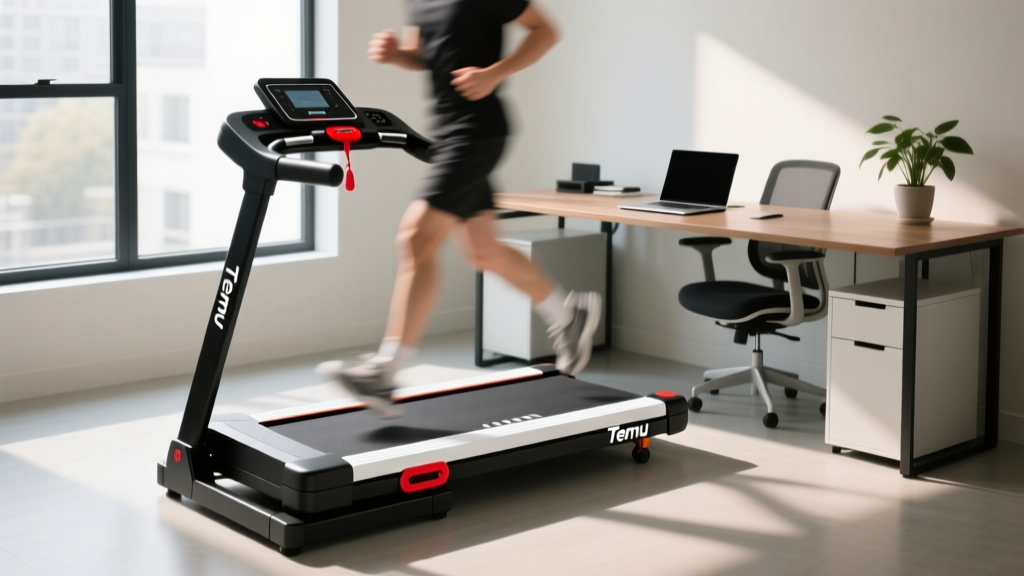
Temu Treadmills for Office Use: Under Desk Review & Care Guide
Reviewing budget Temu treadmills for under-desk office use. Learn essential maintenance, lubrication, and longevity tips to keep cheap walking pads running.

The explosion of ultra-budget e-commerce platforms has fundamentally changed how consumers purchase home fitness equipment. As of 2026, the market is flooded with generic, white-label walking pads, and evaluating temu treadmills for office environments requires a highly critical eye. While a $99 to $140 under-desk treadmill seems like a steal for a sit-stand desk setup, these ultra-budget machines cut corners on manufacturing tolerances, motor durability, and quality control. If you want your budget walking pad to survive past its 90-day warranty window, rigorous maintenance is not optional—it is mandatory.
The Anatomy of a Budget Under-Desk Treadmill
To properly maintain temu treadmills, you must first understand what you are actually buying. Most under-desk models in the $100 price bracket are unbranded or lightly branded OEM units manufactured in bulk. They share a nearly identical internal architecture:
- Motor: Advertised as '2.5 HP Peak,' but realistically delivering 0.75 HP to 1.0 HP continuous duty. This is sufficient for walking (1.0 to 3.5 MPH) but will overheat if subjected to jogging or heavy user loads.
- Running Belt: Typically a thin, single-ply PVC belt measuring 15 inches by 41 inches. These belts lack the multi-layer rubber cushioning found on premium treadmills, meaning friction and heat generation are significantly higher.
- Deck: Low-density MDF (Medium-Density Fiberboard) coated with a basic phenolic resin. It is highly susceptible to warping if exposed to moisture or excessive friction heat.
- Control Board: Generic PWM (Pulse Width Modulation) motor controllers with minimal thermal protection and basic optical speed sensors.
Day-One Calibration: The Secret to Longevity
The most common reason temu treadmills fail within the first month is improper factory belt tensioning. A belt that is too tight will strain the motor bearings and fry the control board; a belt that is too loose will slip underfoot, causing dangerous stumbles and stripping the drive roller. Before plugging in your new walking pad, perform this critical Day-One calibration:
- Locate the Tension Bolts: Find the two hex bolts at the very rear of the treadmill deck (usually requiring a 6mm Allen key).
- The Quarter-Turn Rule: Power the treadmill on at 1.0 MPH. If the belt stutters or slips when you step on it, turn both bolts clockwise by exactly one-quarter (1/4) turn.
- Check Centering: If the belt drifts to the left, tighten the left bolt by 1/8th of a turn and loosen the right bolt by 1/8th of a turn. Never adjust one side without counter-adjusting the other, or you will snap the belt.
- Initial Lubrication: Factory lubrication is notoriously sparse. Lift the edge of the belt and apply 10ml of 100% pure silicone treadmill lubricant directly to the deck in a zig-zag pattern. Run the machine at 2.0 MPH for three minutes to distribute the fluid.
Expert Warning: Never use WD-40, lithium grease, or petroleum-based oils on a walking pad. Petroleum products will dissolve the PVC backing of the belt and destroy the phenolic resin coating on the MDF deck, resulting in catastrophic, unrepairable friction.
The 90-Day Maintenance Matrix
Because budget treadmills use lower-grade bearings and thinner belts, they require a more aggressive maintenance schedule than premium $1,000+ machines. Follow this matrix to maximize the lifespan of your under-desk office treadmill.
| Timeframe | Maintenance Task | Technical Details & Tools Required |
|---|---|---|
| Weekly | Vacuum and Debris Check | Use a soft brush attachment to clear dust from the motor shroud vents. Office environments generate massive amounts of micro-dust that choke small treadmill motors. |
| Monthly | Belt Tension & Alignment | Inspect for edge fraying. Re-center using the 6mm Allen key if the belt tracks left or right. Ensure 2-3 inches of lift at the center of the belt. |
| Quarterly | Deck Lubrication | Apply 10-15ml of 100% silicone lubricant. Wipe away any excess silicone that squeezes out the sides to prevent floor staining and slipping hazards. |
| Bi-Annually | Motor Shroud Deep Clean | Unplug the unit, remove the 4-6 Phillips head screws on the front motor cover, and use compressed air to blow out carbon dust from the motor brushes. |
Troubleshooting Common White-Label Failures
When budget walking pads fail, they rarely do so gracefully. Instead of mechanical breakdowns, you will usually encounter cryptic error codes on the LED display. Here is how to decode and fix the most common issues found in temu treadmills.
E01 and E02: Communication and Overcurrent Errors
An E01 code indicates a communication failure between the console display and the motor control board. This is almost always caused by a loose ribbon cable. Unplug the machine, open the motor shroud, and firmly reseat the multi-pin connector. An E02 code signifies an overcurrent draw, meaning the motor is working too hard. This is usually caused by a dry belt. Apply silicone lubricant immediately. If the E02 persists after lubrication, the motor control board's MOSFETs have likely shorted out, requiring a board replacement.
E06: The Optical Speed Sensor Failure
The E06 error is the bane of cheap treadmills. The machine starts, runs for three seconds, and abruptly stops with an E06 code. This happens when the optical speed sensor fails to read the slotted disc on the motor flywheel. The Fix: Remove the motor cover and locate the small U-shaped sensor bracket next to the flywheel. Use a cotton swab and isopropyl alcohol to clean dust off the sensor lenses. If the bracket has been vibrated out of alignment, gently bend it back so the flywheel slots pass cleanly through the center of the 'U' without scraping.
Thermal Throttling and Motor Shroud Melting
Because 0.75 HP continuous duty motors generate immense heat under load, many users report a 'burning plastic' smell or the machine shutting down after 45 minutes of continuous use. To prevent thermal throttling, never use a budget walking pad for more than 60 continuous minutes. Implement a 15-minute cool-down period where the machine is turned off, allowing the internal thermal fuse to reset and the MDF deck to dissipate heat.
Office Ergonomics and Safety Standards
Using an under-desk treadmill in an office environment introduces unique biomechanical and safety challenges. According to ergonomics guidelines reviewed by the Mayo Clinic, typing accuracy and cognitive focus significantly degrade at walking speeds above 1.5 MPH. For deep work tasks, keep the speed between 0.8 and 1.2 MPH. Furthermore, the Consumer Product Safety Commission (CPSC) emphasizes the critical need for clearance zones behind moving treadmill belts. Budget walking pads lack the emergency magnetic safety keys found on full-sized gym treadmills. Ensure you have at least 3 feet of clear space behind the machine, and never position your office chair directly behind the active belt path, as a backward slip can result in severe friction burns or impact injuries against the chair base.
Repair vs. Replace: The Economic Reality
When a premium $2,000 treadmill breaks, you call a technician. When a $120 Temu walking pad breaks, you face an economic dilemma. The harsh reality of ultra-budget fitness gear is the lack of a standardized parts ecosystem. If your walking pad suffers a snapped drive belt or a worn deck, you can usually source generic replacements on Amazon or AliExpress for $25 to $35. However, if the main motor control board fails (a common casualty of power surges or prolonged E02 overcurrent states), you will likely find that the board has no model number, no schematic, and no direct replacement available. In these cases, the cost of diagnostic troubleshooting and importing a compatible generic PWM board often exceeds the replacement cost of the entire unit. To protect your investment, always plug your under-desk treadmill into a high-quality surge protector (rated for at least 1000 Joules) to shield the fragile control board from office grid fluctuations.
More gear to consider
All reviews
Weslo Cadence Treadmill G40 Setup & Walking Pad Review

Is It Easier to Run on a Treadmill or Outside? Under-Desk Value Guide
Stair Climber Setup: Upgrading From 3 Miles Per Hour on Treadmill
Noise Level Comparison: Is a Portable Moves Treadmill the Quietest?

Small Space Cardio: Elliptical vs Treadmill & Fat Burner on Treadmill
