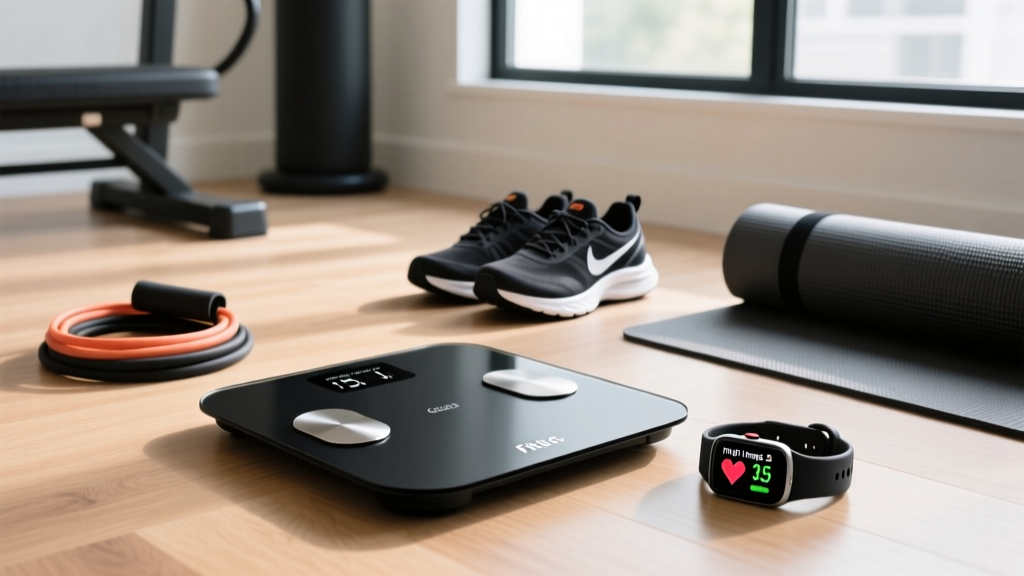
Scale Accuracy & Fitbit Inspire 3 Health & Fitness Tracker Details
Fix smart scale accuracy errors, troubleshoot sync issues, and reconcile data with your Fitbit Inspire 3 health metrics using our 2026 expert guide.

The BIA Illusion: Why Your Smart Scale Seems to Be Lying
Stepping on a smart scale only to see your body fat percentage jump 4% overnight is a frustratingly common experience in the fitness community. To troubleshoot these wild fluctuations, we first have to understand the underlying technology. Most consumer smart scales in 2026, from the Fitbit Aria Air to the Renpho Elera, utilize Bioelectrical Impedance Analysis (BIA). BIA works by sending a微弱, imperceptible electrical current up through your feet. Because lean tissue (which is high in water content) conducts electricity easily, and fat tissue resists it, the scale's algorithm estimates your body composition based on the speed of the current's return.
The critical flaw here is hydration. If you are dehydrated, the electrical current encounters more resistance, and the scale will inaccurately report a higher body fat percentage. According to the American Council on Exercise (ACE), variables like recent exercise, sodium intake, and even the ambient temperature of your bathroom floor can skew BIA readings by up to 5% in a single day. The most common mistake users make is weighing themselves at inconsistent times, completely invalidating their long-term trend data.
⚠️ Common Mistake Alert: Never step on a BIA scale immediately after a workout. Post-exercise dehydration and blood pooling in your extremities will artificially inflate your body fat reading and deflate your skeletal muscle mass metrics.Reconciling Wearable Data: The Ecosystem Gap
When reviewing the Fitbit Inspire 3 health & fitness tracker details, many users are surprised to learn that while the wristband excels at tracking continuous heart rate (via PurePulse), sleep stages, and Active Zone Minutes, it lacks native bioimpedance sensors. The Inspire 3 cannot measure your body fat percentage, visceral fat, or skeletal muscle mass. This hardware limitation makes a reliable smart scale an absolute necessity for a complete health dashboard.
However, a major troubleshooting hurdle arises when users try to reconcile their scale data with their wearable data. For example, your Fitbit Inspire 3 might show a massive caloric deficit and high activity levels for the week, yet your smart scale shows a weight increase. This isn't necessarily a scale error; it is often a physiological reality. Intense workouts tracked by your Inspire 3 cause micro-tears in muscle fibers, leading to localized inflammation and water retention. Furthermore, for every gram of glycogen your muscles store post-workout, your body stores roughly three grams of water. The scale is accurately measuring this water weight, but the BIA algorithm misinterprets the sudden fluid shift as fat gain.
Troubleshooting Scale-to-App Syncing Nightmares
Data accuracy means nothing if the scale refuses to sync with the Fitbit app. In 2026, IoT (Internet of Things) handshake failures remain the number one technical support ticket for smart scales. Here is how to troubleshoot the most persistent connection errors.
1. The 2.4GHz vs. 5GHz Wi-Fi Trap
Wi-Fi-enabled scales like the Fitbit Aria 2 or the Garmin Index S2 strictly require a 2.4GHz Wi-Fi network. Modern mesh routers often use a unified SSID (network name) for both 2.4GHz and 5GHz bands. If your router attempts to push the scale to the 5GHz band during the handshake, the setup will fail, often displaying an 'ERR' or 'WIFE' (Wi-Fi Error) code on the scale's LED display.
- The Fix: Access your router's admin panel and temporarily split the bands, or create a dedicated 2.4GHz IoT network. Alternatively, use a mobile hotspot set to 2.4GHz to complete the initial setup, after which the scale will remember the network credentials.
2. Bluetooth Handshake Timeouts (Aria Air & Third-Party Scales)
Bluetooth scales like the Fitbit Aria Air rely on your phone to bridge the data to the cloud. A common failure mode occurs when the Fitbit app is aggressively put to sleep by your smartphone's battery optimization settings (especially on Android 14 and 15 devices).
- Navigate to your phone's Settings > Apps > Fitbit > Battery.
- Change the setting from 'Optimized' to 'Unrestricted'.
- Ensure the Fitbit app has 'Nearby Devices' and 'Location' permissions enabled, as Bluetooth Low Energy (BLE) scanning requires location services to function in the background.
For deeper hardware resets, Fitbit Official Support recommends removing the batteries from the Aria Air for exactly 10 seconds to clear the Bluetooth cache before re-pairing.
2026 Smart Scale Compatibility & Accuracy Matrix
Not all scales interact with the Fitbit ecosystem equally. Below is a comparative review of the top body composition scales in 2026, focusing on their BIA accuracy, segmental analysis capabilities, and native Fitbit integration.
| Scale Model | BIA Type | Fitbit Sync Method | 2026 Price | Expert Verdict |
|---|---|---|---|---|
| Fitbit Aria Air | 4-Point (Feet only) | Native Bluetooth | $59.95 | Best for seamless app integration, but lacks advanced segmental muscle tracking. |
| Withings Body Smart | 4-Point + Positional | Third-Party API Link | $99.95 | Superior clinical accuracy; requires linking Withings Health Mate to Fitbit via cloud API. |
| Renpho Elera Gen 2 | 8-Point (Hands & Feet) | Third-Party API Link | $79.99 | Offers segmental arm/leg muscle mass data that the Inspire 3 cannot track natively. |
The 'Morning Protocol' for Flawless Data
To extract genuine value from your smart scale and ensure it complements the Cleveland Clinic's recommended standards for body composition tracking, you must eliminate variables. Adopt this strict troubleshooting protocol to establish a true baseline:
✅ The 4-Step Calibration Routine:- Timing: Weigh yourself immediately after waking up and using the restroom, but before drinking water or eating.
- Surface: Place the scale on a hard, flat surface (tile or hardwood). Never use it on carpet or a bath mat, as the compression will absorb the force and ruin the load cell calibration.
- Conductivity: Ensure the soles of your feet are slightly damp or at least not heavily calloused. Extremely dry skin increases electrical resistance, skewing BIA fat readings upward.
- Averaging: Ignore daily fluctuations. Use the Fitbit app's 7-day rolling average feature to track your actual physiological trend.
When to Ignore the Scale Entirely
There are edge cases where troubleshooting the scale is a waste of time, and you should rely solely on your Fitbit Inspire 3's biometric data. If you are female and tracking your cycle via the Fitbit app's Female Health settings, expect a 2 to 5-pound water weight fluctuation during the luteal phase due to progesterone spikes. Similarly, if you have recently increased your creatine supplementation (a common 5g daily dose), your muscles will hold an extra 1-2 liters of intracellular water. The scale will register this as mass, and the BIA algorithm may misclassify it, but your Inspire 3's resting heart rate and HRV (Heart Rate Variability) metrics will accurately reflect your true fitness adaptations and recovery status.
"A smart scale is a compass, not a GPS. It tells you the general direction of your body composition trends over months, not your exact physiological coordinates on a random Tuesday morning."
By understanding the hardware limitations of BIA technology, properly configuring your network for flawless syncing, and cross-referencing scale data with the robust cardiovascular metrics provided by your wrist wearable, you can transform a frustrating daily ritual into a highly accurate, data-driven health strategy.
More gear to consider
All reviews
Fitbit Inspire 3 vs Inspire HR: Which Fitness Tracker Wins?

Apple Watch Series 9 Fitness Tracker vs 2026 Budget Picks Under $100

Scale Accuracy Reviews & Garmin Vivofit 2 Fitness Tracker Sync Fixes

Top Fitness Tracker Long Battery Life Picks: 2026 Buyer Guide

Fitbit Charge 3 Fitness Tracker to Cycling Computer: Sensor Guide
