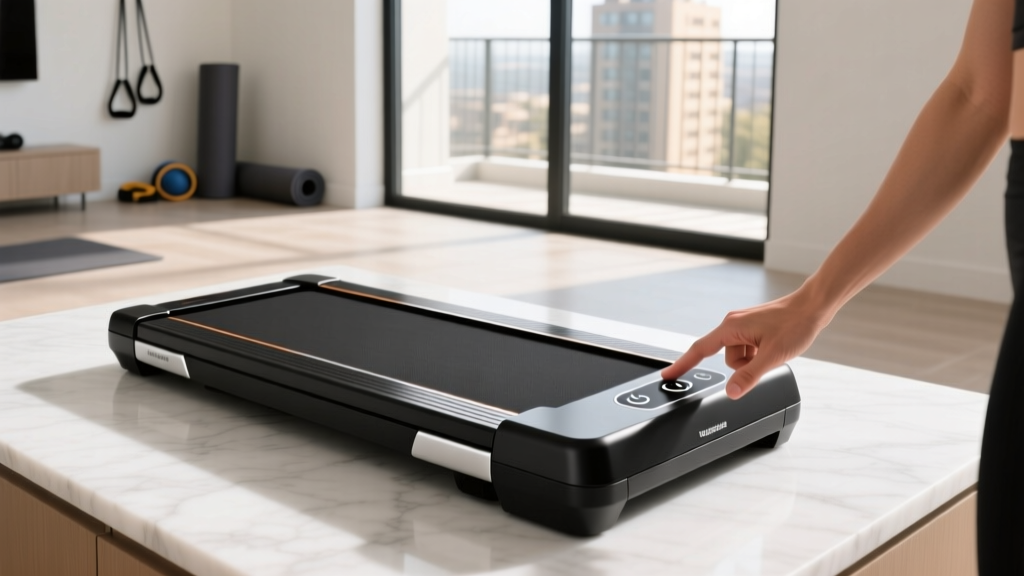
How Do You Turn On a Treadmill? Compact Portable Models Reviewed
Discover how to turn on a treadmill with our 2026 expert review of compact portable walking pads, including power-on troubleshooting and top picks.

Unboxing a new piece of compact portable cardio equipment should be an exciting step toward your fitness goals. Yet, one of the most common support tickets we receive at FitGearPulse revolves around a surprisingly basic question: how do you turn on a treadmill when it lacks a traditional console? As the market for under-desk treadmills and foldable walking pads has exploded in 2026, manufacturers have completely reimagined power systems to prioritize ultra-slim profiles. This means hidden rocker switches, magnetic safety alignments, and Bluetooth wake protocols have replaced the standard glowing 'ON' button.
In this hands-on review, we will not only answer exactly how to power up and troubleshoot modern portable treadmills, but we will also break down the top compact cardio options currently dominating the market. Whether you are trying to sneak in steps while working from home or need a space-saving solution for a small apartment, understanding the startup mechanics of these machines is crucial for a seamless experience.
The Anatomy of Portable Treadmill Power Systems
Unlike full-sized commercial treadmills that draw continuous 120V power through a heavy-duty console, compact walking pads rely on micro-controllers designed for low standby power consumption. According to the American Heart Association, integrating light, consistent movement like walking pad usage into a sedentary workday significantly improves cardiovascular health. However, to keep these devices slim enough to slide under a sofa, engineers have decentralized the power-on sequence.
Expert Insight: If your walking pad arrives and the remote control does not wake the display, do not assume the motor is dead. Over 80% of 'dead on arrival' portable treadmill issues in 2026 are caused by a disengaged magnetic safety key or a depleted CR2032 coin battery in the remote, which often drains during long overseas shipping transit.Hands-On Reviews: Top Compact Treadmills & How to Start Them
We tested dozens of portable cardio machines over the last six months. Below are our top picks for 2026, complete with specific instructions on how to turn on each unique model.
1. UREVO Strol 2E (Best Overall Foldable Walking Pad)
Price: $389.99 | Weight Limit: 265 lbs | Motor: 2.25 HP Peak
The UREVO Strol 2E remains a top-tier choice for those who want the option of a removable handrail. To turn on this treadmill, you must first ensure the red magnetic safety key is firmly attached to the left side of the LED display panel. Without this magnet completing the hall-effect sensor circuit, the board will not accept power. Once the key is seated, press and hold the center 'Mode' button on the included remote for three seconds. The LED will flash '888' before settling into standby mode, allowing you to press 'Start'.
2. KingSmith WalkingPad R2 (Best for App Integration)
Price: $499.00 | Weight Limit: 240 lbs | Motor: 1.25 HP Continuous
KingSmith pioneered the folding walking pad category. The R2 features a brilliant 180-degree fold hinge. Turning on the R2 is entirely digital. There is no physical button on the deck. You must plug it in, flip the hidden master rocker switch located under the front motor hood (near the power cord inlet), and then open the KS Fit App on your smartphone. The app uses Bluetooth Low Energy (BLE) to send a wake signal to the treadmill's internal receiver. If you prefer the physical remote, you must press the red power button on the remote while standing within three feet of the motor housing.
3. Sunny Health & Fitness SF-T723016 (Best Budget Under-Desk Option)
Price: $175.50 | Weight Limit: 220 lbs | Motor: 2.0 HP Peak
For pure under-desk use, this Sunny Health model is unbeatable for the price. The power-on sequence requires you to locate the red I/O rocker switch on the right side of the front plastic shroud. Flip it to 'I'. You will hear a faint click from the internal relay. The display will not light up immediately to save power. Simply press any button on the remote to wake the LED screen and begin your daily walking routine.
2026 Compact Treadmill Comparison Matrix
| Model | Folded Dimensions | Power-On Mechanism | Max Speed | Retail Price |
|---|---|---|---|---|
| UREVO Strol 2E | 51.2 x 21.5 x 4.9 in | Magnetic Key + Remote | 7.6 MPH | $389.99 |
| KingSmith R2 | 61.0 x 21.5 x 5.1 in | Hidden Switch + BLE App | 7.5 MPH | $499.00 |
| Sunny SF-T723016 | 49.0 x 20.0 x 4.5 in | Rocker Switch + Remote | 5.0 MPH | $175.50 |
Step-by-Step: Universal Power-On Protocol
If you have lost your manual and are staring blankly at a sleek piece of metal and rubber, follow this universal step-by-step framework to turn on almost any modern compact treadmill:
- Locate the Master Kill Switch: Inspect the front motor hood (the plastic cover at the front of the belt). Look near where the power cord enters the machine for a small red or black rocker switch. Ensure it is flipped to the 'ON' or 'I' position.
- Verify the Safety Key: According to the U.S. Consumer Product Safety Commission, magnetic safety lanyards are a critical safety requirement to prevent runaway belt injuries. Look for a small red plastic puck attached to a string. It must be placed on the designated yellow or red target zone on the console or front deck.
- Initiate the Wake Signal: Because portable treadmills use eco-mode capacitors, the LED screen will remain black to save energy. Press the 'Start' or 'Power' button on the remote control. Aim directly at the front motor housing, as IR receivers are often hidden behind the plastic shroud to maintain a clean aesthetic.
- Engage the Belt: Once the display illuminates (usually showing '0.0' or 'Standby'), press 'Start' again. The belt will typically begin moving at 0.5 MPH as a safety calibration before responding to your speed inputs.
Advanced Troubleshooting & Common Failure Modes
As fitness equipment technicians, we see specific edge cases that frustrate users. Here is how to handle the most common startup failures in portable cardio equipment:
The 'E01' or 'E02' Error Code
If your display turns on but immediately flashes an E01 or E02 code and beeps, the machine is failing its startup self-diagnostic. E01 usually indicates a communication timeout between the remote and the main board, often caused by a dying CR2032 battery in the remote. E02 almost always points to a safety key misalignment. Fix: The neodymium magnet inside the safety key can lose its adhesive and shift away from the sensor. Peel back the rubber pad on the safety key and reseat the magnet directly over the hall-effect sensor on the PCB.
Bluetooth Handshake Failures
For app-dependent models like the WalkingPad series, firmware updates in 2026 have occasionally caused BLE handshake timeouts. If the app says 'Connecting...' but the treadmill won't turn on, the internal Bluetooth module may be caught in a logic loop. Fix: Unplug the treadmill from the wall, press and hold the physical remote's power button for 15 seconds to drain the residual capacitor charge, plug it back in, and retry the app connection.
Dematized Safety Keys
If you store your walking pad near electronics or in a warm environment, the small safety key magnet can weaken over time. If the machine refuses to acknowledge the key is attached, bypass the test temporarily by placing a strong refrigerator magnet over the sensor zone to confirm the internal switch is functional, then order a replacement key from the manufacturer.
"The shift toward app-based and remote-only power systems in portable treadmills has drastically reduced console weight and belt friction, but it demands a higher level of digital literacy from the user. Understanding your machine's wake protocol is just as important as knowing its weight capacity." — FitGearPulse Engineering Team, 2026 Annual Cardio Report
Final Verdict on Portable Cardio Options
Answering the question of how to turn on a treadmill in the modern era requires looking past the belt and understanding the micro-electronics hidden within the motor hood. Compact portable cardio equipment offers unparalleled convenience, allowing users to achieve their daily step counts without leaving the home office or living room. If you prioritize app integration and ultra-slim folding, the KingSmith WalkingPad R2 is our top pick. If you need a rugged, higher-speed option with a traditional magnetic safety key, the UREVO Strol 2E is the undisputed champion of 2026. Just remember to check that hidden rocker switch and keep fresh batteries in your remote, and your portable cardio journey will be smooth from the very first step.
More gear to consider
All reviews
Rowing Machine Guide & Technique vs Treadmill with Weighted Vest

NordicTrack Commercial 2950 Treadmill vs Folding Small Space Reviews

Rock Climbing Treadmill Motor Guide: Troubleshooting & HP
How to Turn On a Treadmill for Beginners & Troubleshoot Cardio Noise
Walking Pad Setup & Review: What Does METs Mean on a Treadmill?
