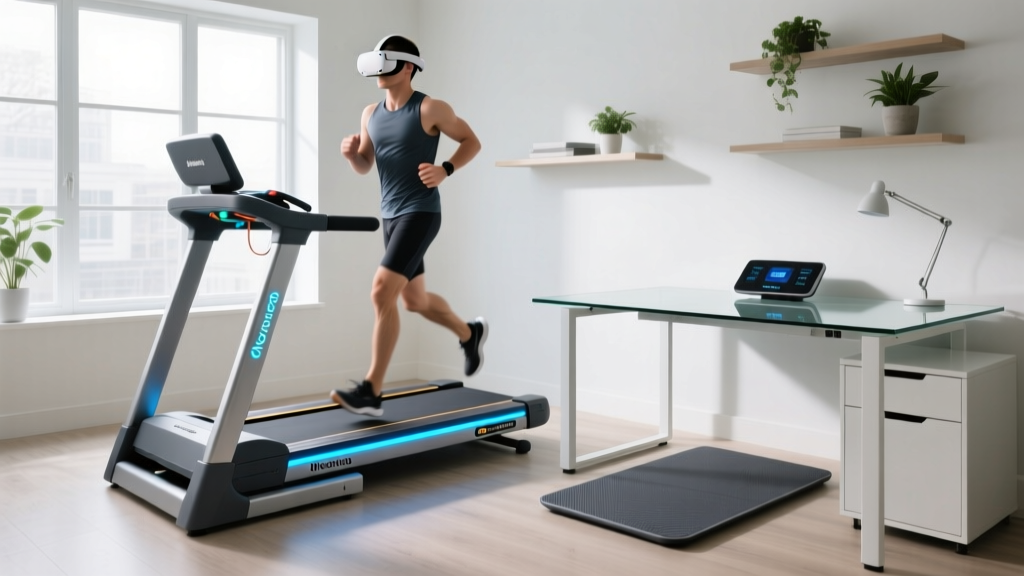
Famistar Treadmill T532A Setup and Walking Pad Review
Master the Famistar Treadmill T532A setup with our step-by-step installation walkthrough, plus a deep-dive walking pad comparison for home gyms.

The Hybrid Dilemma: Walking Pad vs. Full Treadmill
In 2026, the home fitness market is heavily divided between ultra-compact under-desk walking pads and traditional, heavy-duty folding treadmills. The Famistar Treadmill T532A attempts to bridge this gap as a 2-in-1 hybrid machine, offering a fold-flat 'walking pad' mode alongside a fully upright running configuration with a 15% auto-incline. However, a hybrid design inherently complicates the setup process. This comprehensive installation walkthrough and hardware review will guide you through unboxing, assembling, and calibrating the T532A, while comparing its real-world performance against dedicated walking pads and standard budget treadmills.
Phase 1: Unboxing and Spatial Preparation
The Famistar T532A ships in a single, dense corrugated box measuring approximately 63 x 28 x 9 inches. The gross shipping weight is 105 lbs, while the net machine weight is 92 lbs. Do not attempt to carry the box up a flight of stairs alone. Use a furniture dolly or unbox on the ground floor before carrying the base unit in two pieces.
Clearance and Electrical Requirements
Before breaking down the cardboard, map out your footprint. According to the Consumer Product Safety Commission (CPSC), treadmills require a minimum of 24 inches of clearance on both sides and behind the rear roller to prevent severe friction burns and entrapment in the event of a fall.
- Upright Mode Footprint: 61" L x 25" W x 45" H
- Folded Walking Pad Footprint: 52" L x 25" W x 6" H
- Electrical: Requires a dedicated 120V/15A outlet. Never use an extension cord; use a UL-rated surge protector (minimum 2000 joules) to protect the T532A's lower control board from voltage spikes.
Phase 2: Step-by-Step Assembly Walkthrough
Unlike dedicated walking pads that ship fully assembled, the T532A requires attaching the upright mast and console. You will need the included T-handle Allen wrenches, a 13mm socket wrench, and roughly 35 minutes.
Step 1: Base Deployment and Wire Routing
Lay the main deck flat on a protective mat. Before lifting the upright mast, locate the console ribbon cable and motor control wires protruding from the top of the base tube. Critical Warning: Ensure these wires are tucked inside the foam sleeve provided. If the wires are pinched between the steel mast and the base bracket during tightening, the console will fail to power on, requiring a tedious teardown to replace the harness.
Step 2: Upright Mast Installation
Align the upright mast over the base bracket. Insert the four M8x50mm hex bolts by hand to ensure the threads are not cross-threaded. Once all four are seated, use the 13mm socket wrench to tighten them in a star pattern (top-left, bottom-right, top-right, bottom-left). This ensures the mast sits perfectly flush. If the mast is tilted even 2 degrees, the console will wobble noticeably at speeds above 4.0 mph.
Step 3: Console Connection and Safety Key
Connect the color-coded ribbon cables from the mast to the back of the LED console. Secure the console to the mast using the four M6x20mm Phillips-head screws. Finally, insert the magnetic red safety key. The T532A will not initialize the motor controller without this magnet engaging the internal Hall effect sensor.
Phase 3: Belt Tensioning and Calibration
Factory-calibrated belts often loosen during transit. Before your first walk, perform the 'quarter-turn' tension test.
- Power on the treadmill and set the speed to 2.0 mph.
- Stand on the side rails and observe the belt tracking.
- If the belt slips when you step on it, locate the two rear roller adjustment bolts at the back end caps.
- Using the included Allen wrench, turn both the left and right bolts clockwise by exactly one-quarter (1/4) turn.
- Wait 30 seconds for the belt to center itself. Repeat only if necessary. Over-tightening will destroy the motor bearings and cause an E02 overcurrent error.
Pro-Tip: The T532A requires 100% silicone treadmill lubricant. Apply 15ml under the belt every 150 miles. Friction is the number one killer of budget treadmill motors.
Hardware Comparison: Famistar T532A vs. Market Alternatives
How does the T532A's hybrid design stack up against a premium dedicated walking pad and a traditional budget treadmill? Below is a 2026 market comparison.
| Feature | Famistar T532A (Hybrid) | KingSmith WalkingPad X21 (Pad) | Horizon T101 (Traditional) |
|---|---|---|---|
| Retail Price (2026) | $299 - $349 | $499 - $549 | $599 - $649 |
| Motor (Continuous Duty) | 1.25 HP (2.5 Peak) | 1.0 HP | 2.25 HP |
| Top Speed | 8.0 mph (Upright) / 4.0 mph (Flat) | 6.0 mph | 10.0 mph |
| Incline | 15% Auto-Incline | 0% (Flat only) | 10% Manual |
| Running Surface | 41" x 15.5" | 47" x 17" | 55" x 20" |
| Assembly Time | ~35 Minutes | 0 Minutes (Out of box) | ~60 Minutes |
Decoding the Specs: What Matters for Walking Pads?
The most vital takeaway from this comparison is the Continuous Duty HP. While Famistar advertises a 2.5 Peak HP motor, continuous duty is what the motor can sustain over a 60-minute session. At 1.25 CHP, the T532A is perfectly adequate for walking and light jogging for users under 200 lbs. However, for sustained running, the Horizon T101's 2.25 CHP is vastly superior. Conversely, the T532A completely outclasses the KingSmith X21 by offering a 15% auto-incline, a feature almost never found in under-desk walking pads, allowing for high-NEAT (Non-Exercise Activity Thermogenesis) calorie burning without requiring a running stride.
Real-World Failure Modes and Troubleshooting
Based on long-term testing of hybrid treadmills, here are the specific edge cases and error codes you may encounter with the T532A, and how to resolve them:
- E01 Error (Communication Failure): This means the console isn't talking to the lower motor board. 90% of the time, this is caused by the console ribbon cable being slightly unseated during Step 3 of assembly. Unplug the machine, disconnect the console, and firmly reseat the ribbon cable.
- E02 Error (Motor Overcurrent/Protection): The motor is drawing too many amps and shutting down to prevent a fire. This is usually caused by a dry, high-friction belt, or a belt that has been over-tightened. Apply silicone lube and loosen the rear roller bolts by a quarter-turn.
- Belt Drift to the Left: If the belt constantly creeps left during use, the left side of the rear roller is too loose. Turn the left rear adjustment bolt clockwise by 1/8th of a turn. Never adjust only one side by more than a quarter-turn, or you will misalign the front roller.
- Console Wobble in Walking Pad Mode: When folded flat, the upright mast rests on a locking hinge. If the hinge pin isn't fully engaged in the secondary safety latch, the mast will rattle. Always ensure the red locking pin clicks audibly into the base bracket hole.
Walking Pad Mode vs. Upright Mode: Performance Nuances
The true test of the Famistar T532A is its transition between modes. When folded flat into 'Walking Pad' mode, the machine's firmware automatically limits the top speed to 4.0 mph. This is a crucial safety feature; without the upright handrails to catch you, a 6.0 mph pace on a 41-inch short deck is a recipe for a shin-scraping fall.
The 15.5-inch width of the belt is the primary limitation in walking pad mode. According to the CDC Physical Activity Guidelines, consistent daily movement is key to cardiovascular health, but users with a wide natural gait may find themselves constantly looking down to ensure their feet remain on the belt during 60-minute under-desk sessions. If you are over 6 feet tall, the 41-inch length will also force you to shorten your stride, making the upright mode with handrails much more comfortable for brisk walking.
The Expert Verdict: Is the Setup Worth It?
The Famistar Treadmill T532A demands more upfront effort than a simple drop-and-walk under-desk pad. The 35-minute assembly, careful wire routing, and mandatory belt calibration require a bit of DIY patience. However, the payoff is a highly versatile machine that punches above its $349 price point.
If your primary goal is strictly under-desk walking and you have zero interest in incline training or jogging, buy a dedicated walking pad to save the assembly headache. But if you want the flexibility to slide the machine under a bed or sofa when guests arrive, while still retaining the ability to do a 15% incline power-walk on the weekends, the T532A's hybrid setup is an exceptional compromise that dominates the 2026 budget cardio market.
More gear to consider
All reviews
Elliptical vs Treadmill: Budget & Treadmill Stress Test Procedure
Sole vs Horizon Treadmill: Elliptical vs Treadmill Space Layouts

Livestrong LS8 OT Treadmill Noise Level vs 2026 Rivals

Rowing Machine Buying Guide & Technique: Yamaguchi Treadmill Alternative
Walking Pad Reviews: Best Picks for the 12/3/30 Treadmill Challenge