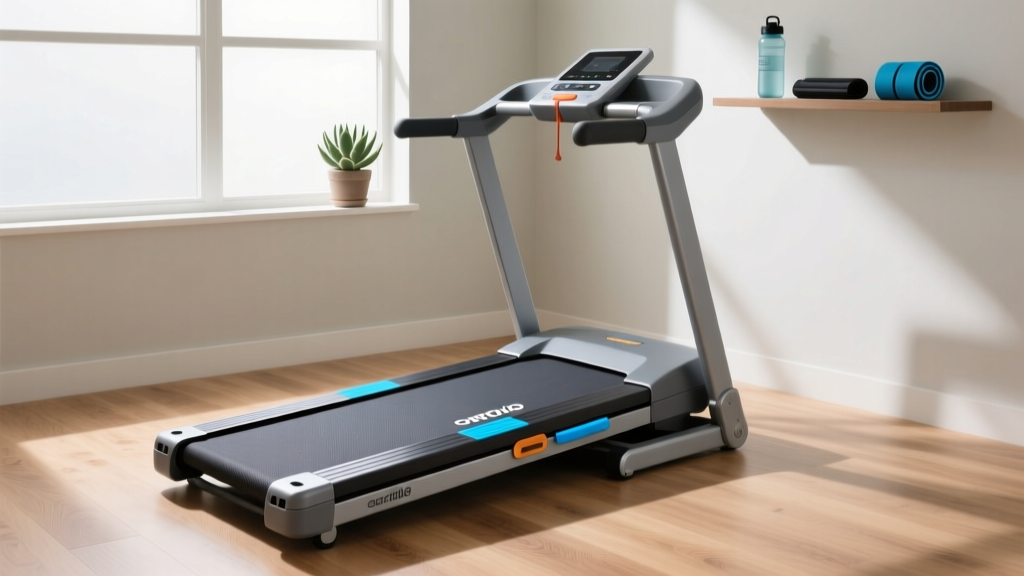
Curved vs Motorized: Best Treadmill Workout Apps Guide
A beginner's step-by-step guide comparing curved vs motorized treadmills, focusing on pricing, biomechanics, and integrating treadmill workout apps.

Introduction: The Hardware and Software Dilemma
When beginners decide to bring cardio home, the first major crossroad is choosing between a curved manual treadmill and a traditional motorized treadmill. However, in 2026, the hardware is only half the equation. The rise of immersive treadmill workout apps like Zwift, Peloton App One, and Kinomap means your machine must seamlessly communicate with your digital training environment.
Many first-time buyers make a costly mistake: they purchase a premium curved treadmill only to discover it lacks the native Bluetooth protocols required to control their favorite fitness apps. This step-by-step guide will walk you through the biomechanical differences, the hidden costs of app integration, and exactly how to pair your chosen machine with top-tier software.
Step 1: Decode the Biomechanics and Hardware Costs
Before downloading any software, you must understand how the physical machine impacts your body and your wallet. According to the Mayo Clinic's aerobic exercise guidelines, consistency in cardiovascular training is the primary driver of heart health, meaning joint comfort and machine ergonomics are paramount.
Curved Manual Treadmills
Curved treadmills (like the AssaultRunner Elite or TrueForm Runner) are non-motorized. The concave shape forces you to pull the belt beneath you using your hamstrings and glutes. This results in a forefoot or midfoot strike, drastically reducing impact on the knees and lower back. Because you are the motor, calorie expenditure is roughly 30% higher at the same perceived exertion level compared to a motorized belt.
Motorized Treadmills
Motorized models (like the Sole F80 or NordicTrack T Series 10) use a continuous horsepower (CHP) motor to pull the belt. This encourages a more quad-dominant, heel-strike running pattern. For beginners, motorized treadmills offer a gentler learning curve and the ability to set precise, automated incline and speed intervals directly from a screen.
| Feature | Curved Manual (e.g., AssaultRunner Elite) | Motorized (e.g., Sole F80) |
|---|---|---|
| Average Price Range | $3,500 - $5,000 | $999 - $1,500 |
| Belt Material | Vulcanized rubber slats (150,000+ mile lifespan) | Polyurethane/PVC (requires lubrication) |
| Max Speed | User-limited (can exceed 20 MPH for sprinters) | Motor-limited (typically 12 MPH) |
| Incline Capability | Fixed (simulates ~8% grade via curve) | Adjustable (0% to 15% via motor) |
Step 2: Understand the "Hidden" App Connectivity Costs
This is where most beginners stumble. To use modern treadmill workout apps, your machine must transmit speed and cadence data, and ideally, receive automatic speed/incline adjustments. This is done via a Bluetooth protocol called FTMS (Fitness Machine Service).
💡 What is FTMS?
FTMS is the universal Bluetooth language that allows apps like Zwift to tell your treadmill to speed up when you run uphill in a virtual world. If a treadmill lacks native FTMS, the app cannot control the machine, forcing you to manually adjust the speed on the console while the app guesses your pace via your smartwatch.
The Curved Treadmill App Problem
Most curved treadmills do not have built-in screens or native FTMS. If you buy a standard TrueForm Runner, it has zero Bluetooth. To connect it to a treadmill workout app, you must purchase an external running power meter like the Stryd Footpod ($299) to transmit your pace to the app via your phone or Apple TV. The AssaultRunner Elite, however, includes a proprietary Bluetooth bridge that connects directly to the AssaultFitness app and basic Zwift running profiles, though it still lacks automated resistance control (since it is manual).
The Motorized Treadmill Advantage
Mid-to-high-tier motorized treadmills are increasingly built with FTMS chips. The Peloton Tread ($3,495) is a closed ecosystem, locking you into their proprietary app. However, open-ecosystem motorized treadmills like the Horizon 7.4 or NordicTrack Commercial 1750 allow you to place your tablet on the console and use third-party apps. Note that NordicTrack often requires a workaround or specific firmware updates to allow third-party FTMS control over their native iFIT software.
Step 3: Match Your Goal to the App and Machine Matrix
Follow the CDC physical activity recommendations of 150 minutes of moderate aerobic activity per week by choosing an app ecosystem that keeps you engaged. Use this decision matrix to find your match.
| Your Primary Goal | Best Machine Type | Recommended Treadmill Workout Apps | Required Hardware Add-ons |
|---|---|---|---|
| Gamified Virtual Running (Zwift) | Motorized (with FTMS) | Zwift Run | None (if FTMS enabled) |
| HIIT & Sprint Intervals | Curved Manual | Studio, Peloton App One | Stryd Footpod or HR Monitor |
| Scenic Global Routes | Motorized (with Incline) | Kinomap, Rouvy | None (if FTMS enabled) |
| Live Instructor Classes | Motorized (Closed Ecosystem) | Peloton App, iFIT | Machine-specific subscription |
Step 4: Execute Your First App-Guided Session (Step-by-Step)
Once your hardware is selected, follow this exact sequence to pair your machine with your chosen treadmill workout app. This guide assumes you are using a motorized FTMS-enabled treadmill with Zwift, the most popular entry point for beginners.
- Prepare the Environment: Ensure your treadmill is on a level surface and plugged into a dedicated 15-amp circuit to prevent motor surges during high-speed app intervals.
- Boot the Console: Turn on the treadmill. Crucial Edge Case: Do not open the Zwift app on your device yet. The treadmill's Bluetooth signal can only be picked up by one device at a time. If your phone's Bluetooth is on and scanning, it might "steal" the connection.
- Launch the App: Open Zwift on your Apple TV, iPad, or PC. Navigate to the "Pairing Screen" (the screen showing icons for heart rate, cadence, and speed).
- Pair Speed/Control: Click the "Search" button next to the Speed/Controllable icon. Your treadmill's model name (e.g., "Horizon 7.4") will appear. Select it.
- Pair Cadence (Optional but Recommended): Motorized treadmills often struggle to read exact foot-strike cadence from the belt motor. For accurate data, pair a chest strap like the Wahoo TICKR X ($129) which transmits both heart rate and running cadence.
- Start the Warmup: Hit "Run" in the app. The app will send a signal to the treadmill to set the belt to 3.0 MPH. Step on and begin your Zwift treadmill workout.
Expert Troubleshooting Tip: If your curved manual treadmill's pace in the app feels "laggy" or inaccurate when you sprint, it is because the internal optical sensors on budget curved models struggle to read rapid slat movement. Upgrading to a treadmill with a magnetic encoder, or using a shoe-mounted Stryd pod, eliminates this data lag entirely.
Final Verdict for Beginners
If your budget is under $1,500 and you want a seamless, plug-and-play experience with interactive treadmill workout apps that automatically control your speed and incline, a motorized FTMS-enabled treadmill is the undisputed winner. It removes the friction from your daily routine.
However, if you are a sprinter, suffer from chronic knee pain, or prefer high-intensity interval training (HIIT) where you need to jump on and off the belt rapidly, invest in a curved manual treadmill. Just be prepared to budget an extra $200-$300 for the external Bluetooth footpods required to bridge the gap between the analog slats and your digital apps.
More gear to consider
All reviews
Escape the Treadmill to Oblivion: Space-Saving Stationary Bikes
Treadmill Muscles Worked: Feature Comparison & Buying Mistakes

METs on Treadmill Stress Test: Walking Pad vs Standard Treadmill
Under Desk Treadmill Review: Care and NordicTrack Comparison Chart
Top Folding Treadmills: The Taylor Swift Treadmill Commercial Effect